On this page
Nano Banana AI Step-by-Step Tutorial
Google’s “Nano Banana” image model brings new editing tools to the Gemini app. I’ll show how to change a photo and combine images while keeping a subject’s appearance consistent.
Read the article →Writing / Engineering notes
Practical guides, experiments, and the details behind what I build. Follow the examples, inspect the code, and read the sources.
108 articles / Page 4 of 9
On this page
Google’s “Nano Banana” image model brings new editing tools to the Gemini app. I’ll show how to change a photo and combine images while keeping a subject’s appearance consistent.
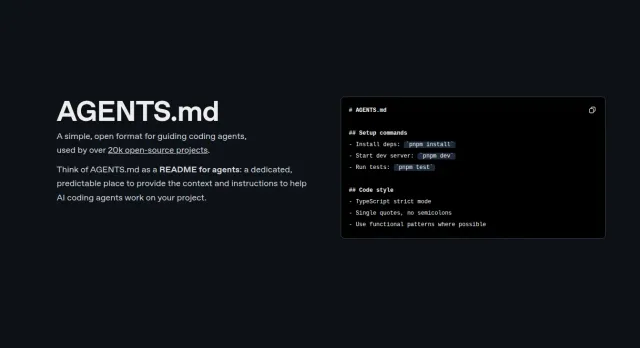
Read the article →When I work with multiple AI coding agents, keeping their instruction files consistent takes extra work. AGENTS.md gives compatible agents a shared place to read project instructions.
I’ll show you how to select GPT-5 in Cursor and use it to improve a messy app. We’ll work through the setup and a few coding tasks.
ChatGPT Agent can browse websites, run code, and create documents. This tutorial explains how to start a task, follow its progress, and review the result.
This tutorial covers two ways to run n8n locally: Docker and Node.js (npm). I’ll show the installation commands and how to open the workflow editor.
We’ll build a first automation in n8n, using its visual workflow editor to connect a trigger and a few actions.
Gemini CLI brings Google’s open-source coding agent to the terminal. I’ll cover installation, commands, pricing, and a few ways to use it on a project.
I tried Codex after OpenAI made it available to Plus users. This guide shows how to connect a repository, assign a coding task, and review the result.
Google Jules is an asynchronous coding agent. I’ll show how to assign it a task, review its plan, and inspect the changes it makes to a repository.
I tried Windsurf AI, an editor with a built-in coding assistant. This guide covers its setup, project context, and tools for editing and debugging code.
I tried Agent Mode in VS Code by asking it to build a to-do app. Here’s how to enable it, give it a task, and review its changes.
In this tutorial, I’ll explain in simple terms what AI, AI agents, and workflows are, and then I’ll walk you through building your very first AI agent in Python using Google’s Agent Development Kit (ADK).