Think back for a moment, how much do you really remember from what you took in last week?
Maybe you watched some educational videos, saved a few articles, bookmarked tutorials, or highlighted sections of a long report. It felt productive at the time, but recalling those details days later is usually much harder.
Getting information isn’t the hard part anymore; there’s plenty of it everywhere. The real challenge is keeping it in your memory. If we don’t review what we learn, our brains just let it slip away.
Research shows we forget most of what we learn within days unless we actively revisit it. Spaced repetition is a learning technique that resurfaces material at increasing intervals, right before you’re likely to forget it.
Modern apps make it super easy to save content. With one click, it’s stored for “later.” But over time, these saved items pile up into big personal libraries that most of us rarely revisit.
Saving things can feel productive, but it’s not the same as actually learning.
This gap between taking in information and actually remembering it is what got me interested in Recall. It’s an AI-powered knowledge base designed not just to organize what you find, but to help you remember it.
Watch on YouTube: This AI Uses Spaced Repetition to Help You Remember More
From Saving Content to Building Knowledge
If you work in a field where learning is constant, you know the routine. Developers keep up with new tech, students juggle big reading lists, and professionals try to stay up to date in fast-changing industries.
It’s natural to save anything that seems useful, a technical article, a conference talk, or a research paper you want to check out later. Over time, these add up to a personal archive. But building a library isn’t the same as building real knowledge. Even if we read or watch something closely, if we don’t review it, most of the details fade in just a few days. What’s left is usually just a vague sense of familiarity, not something you can use with confidence.
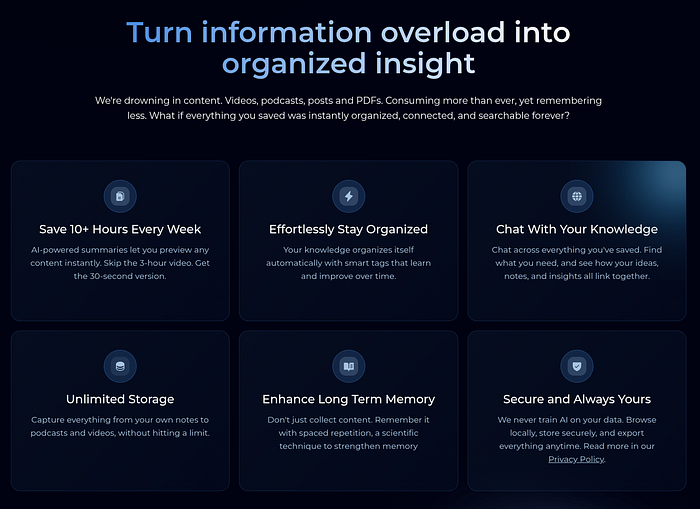
Some people try to solve this with note-taking systems or flashcards. These can work, but they usually take a lot of manual effort, organizing notes, making cards, and connecting ideas.
Recall takes a different approach. Instead of making you build a learning system yourself, it automates much of the process and helps you go back to what you’ve saved.
What Recall Does
Recall is more of an AI-powered knowledge base than a regular note-taking app. You can save content from lots of sources, YouTube videos, articles, PDFs, podcasts, and your own notes. After you save something, the platform creates summaries and organizes them for you.
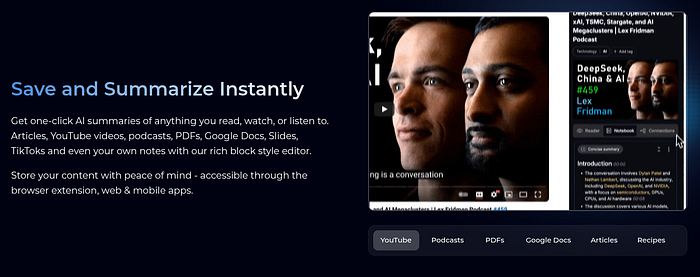
Over time, Recall links related topics together, creating a structured network rather than just separate notes. You can even chat with your knowledge base to bring up ideas from the content you’ve collected.
While other AI tools are adding similar features, Recall focuses more on helping you remember what you’ve saved. That’s where Quiz 2.0 comes in.
A Closer Look at Quiz 2.0
Recall already had a quiz feature, but the new version adds more options. Now, Quiz 2.0 lets you use open-ended questions and flashcards, so you practice recalling information from memory instead of just picking the right answer.
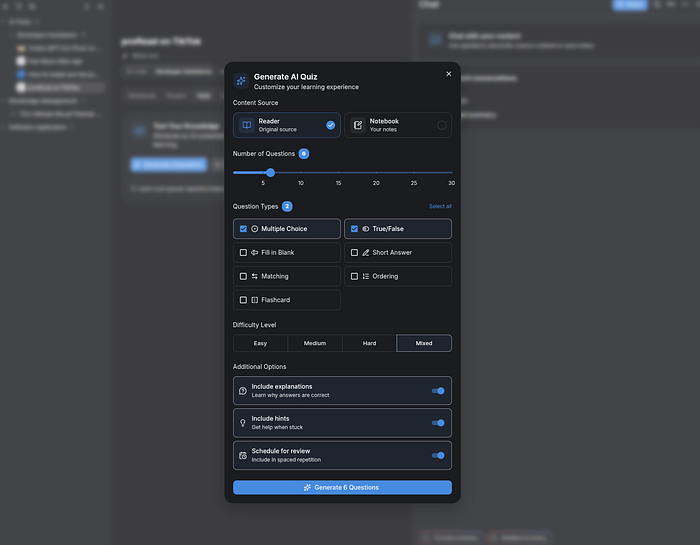
The goal is to help you use active recall, a learning method that improves memory by making your brain work harder. Studies show that this effort is important for building long-term memory.
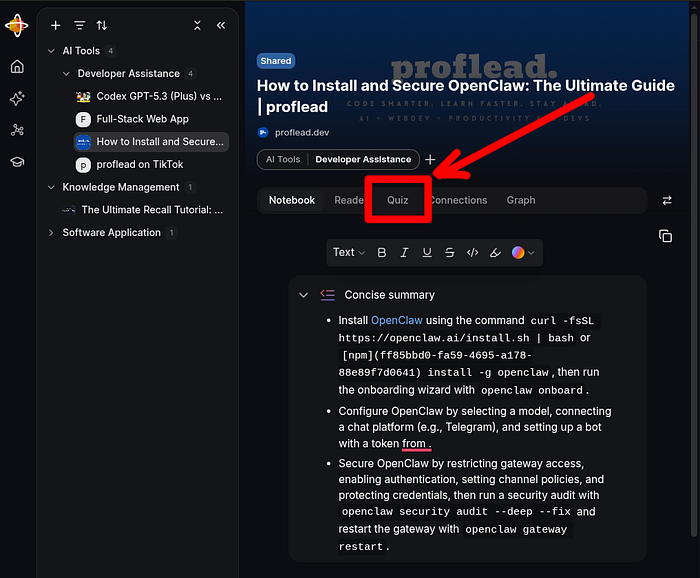
One helpful feature is that you can quiz yourself on almost anything. You are not limited to online videos or articles. You can also create quizzes from your own notes, which is great for studying lectures or personal research. If you prefer to stay organized, you can write notes in Recall and turn them into quizzes whenever you want to review.
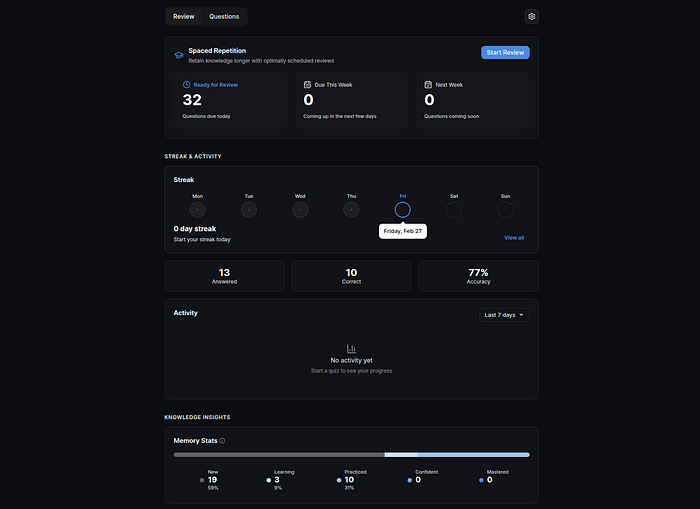
The system uses spaced repetition in the background. This means material comes back at longer intervals, usually just before you might forget it. If you get a question right, you will see it less often. If you have trouble, it comes back sooner. This way, you can focus on what you need to practice most without repeating what you already know.
You can customize your quiz setup in many ways. Choose the topics, set the difficulty, pick how many questions you want, and use a timer for focused sessions. This makes each review fit your schedule and learning goals, so the experience feels flexible instead of fixed.
Using Recall in Practice
To really test the platform, I saved content I actually wanted to remember, mostly technical videos and long articles. The browser extension made it quick to capture items, and after saving, Recall automatically generated a summary and added tags.
After I had a few items saved, I tried out Quiz 2.0. That’s when it changed from just storing things to actually interacting with them.
Some questions were direct, while others forced me to hesitate and think. Open-ended questions, in particular, required me to retrieve ideas without prompts — something that is noticeably harder than identifying the correct answer. That effort is important because learning tends to deepen when the brain has to work for the information.
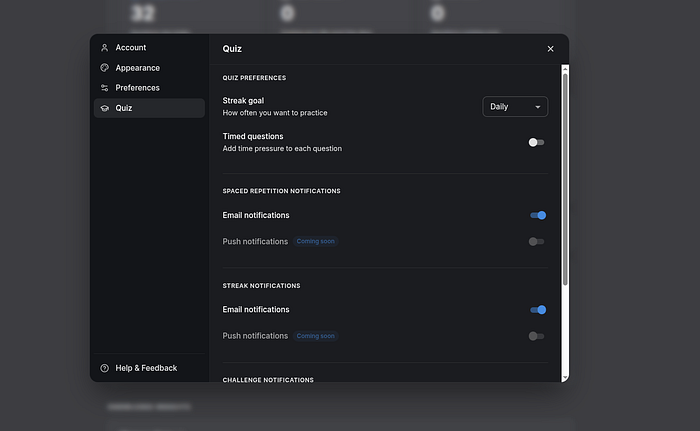
There are features to help you stay consistent, too. A streak tracker motivates you to review regularly, and optional timers can cut down on distractions during short study sessions. You can also share quizzes to challenge a friend or coworker. For students or teams, this social side could make things more motivating.
Does It Actually Help You Remember?
No tool can promise perfect memory, and Recall doesn’t claim to. What it does offer is structure, and that often makes the difference in whether you remember things. The quizzes acted as gentle reminders, turning saved content into something you use again.
Without those reminders, many knowledge tools just end up as archives rather than real learning spaces. Quiz 2.0 makes it easier to review what you’ve saved, and that lower effort could help you stick with learning over time.
This approach reflects a broader shift toward using AI to support active learning instead of passive consumption. Rather than just collecting information, you interact with it, test your understanding, and revisit key ideas when needed.
Where It Fits
There are lots of knowledge tools out there, each with its own approach. Some let you customize everything, while others focus on manual notes or flashcards.
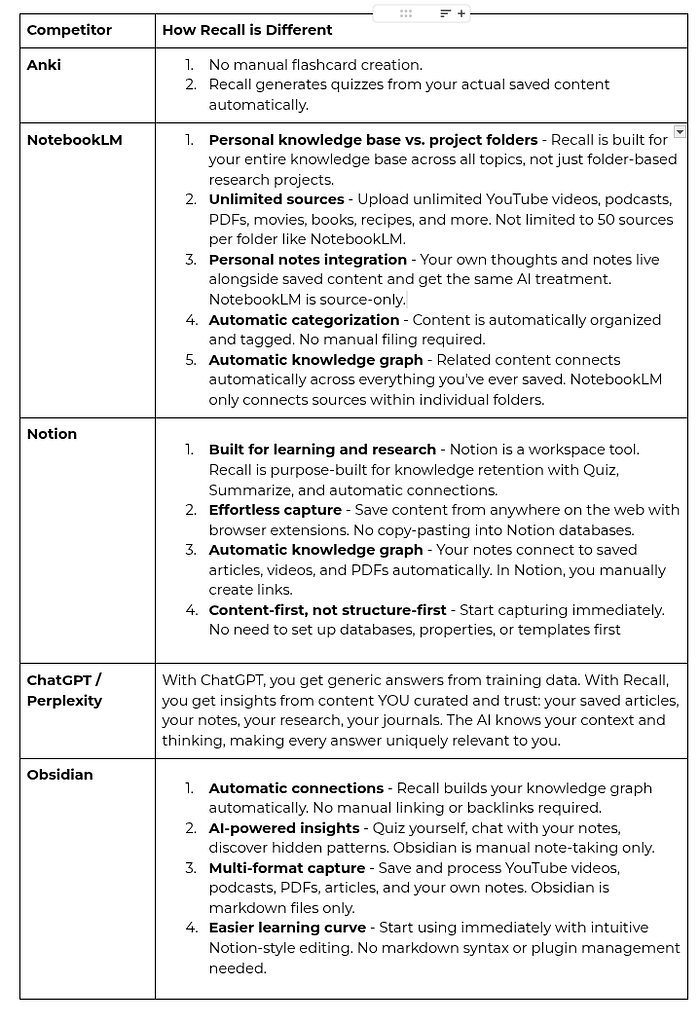
Recall is all about automation, summaries, organizing, connecting ideas, and making quizzes, all with very little setup. If you like moving quickly from saving to reviewing, this style might feel right for you.
Instead of replacing all your other tools, it’s better to see getrecall.ai as something that can fit alongside what you already use.
Conclusion
The toughest part of learning today isn’t finding information; it’s holding onto it. Getrecall.ai tries to solve this by mixing knowledge storage with regular review, and Quiz 2.0 is a big part of that. Supporting active recall and smart review timing, it helps turn what you save into lasting knowledge.
It’s not a magic fix, and you still have to be consistent. But tools that make it easier to review what you’ve learned can help you remember more over time. If you often feel like you forget most of what you take in, this might be worth a try.
You can find out more at Recall. There’s a free version to try, and a premium plan with extra features. If you want to upgrade, use the promo code prof25 for 25% off a subscription until April 1, 2026.