


I’ll show how to upload a dataset to ChatGPT and ask questions about it. We’ll create a custom GPT for a sales dataset, then use it to analyze the data and produce charts.
Step-by-Step Guide to Utilizing ChatGPT for Data Analysis
To kick things off, navigate to chat.openai.com and select ChatGPT-4. From there, choose “Explore GPTs” and then click on the “Create” button.
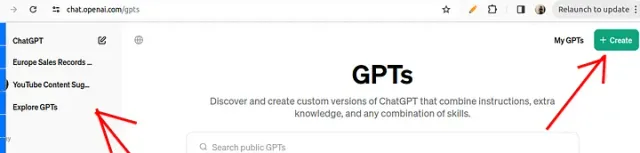
This process enables you to craft GPTs tailored to analyze your personal data securely and privately.
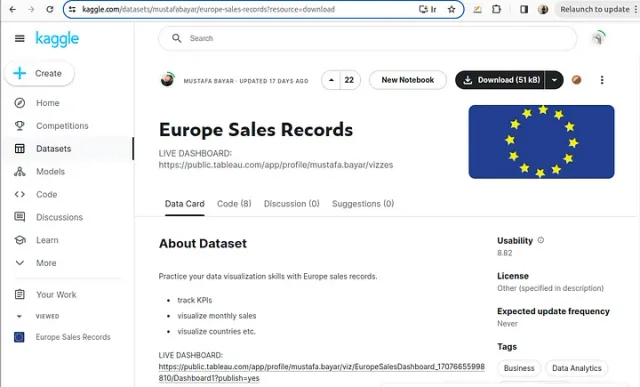
For demonstration purposes, I’ll download a European sales record dataset from Kaggle, which we will analyze together. Remember, you can follow along with your data, ensuring it’s in a CSV format for compatibility.
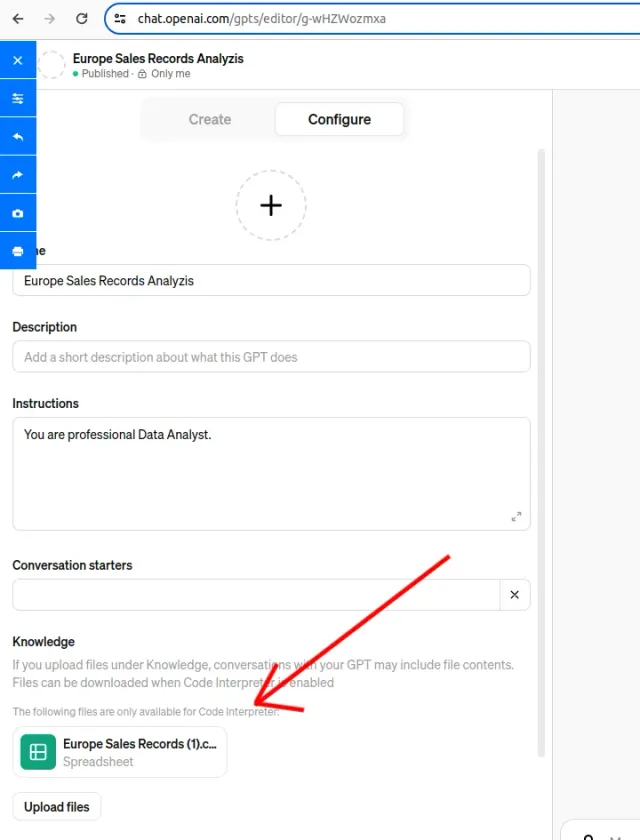
After downloading the dataset, name your GPT. I’m using “European Sales Record Analysis” and instructing it to act as a data analyst. Enable the code interpreter so it can run code on the uploaded data.
Uploading Data and Initial Analysis
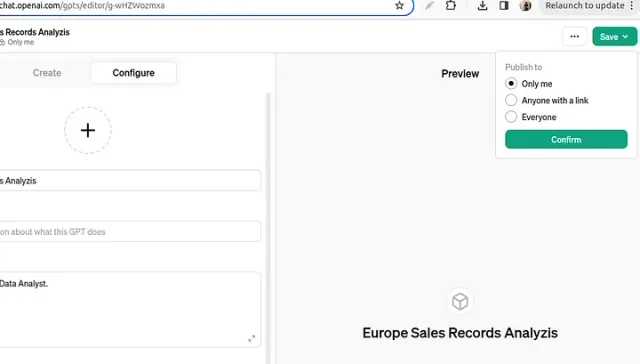
Next, upload your dataset by selecting “Upload Files” and choose your file, ensuring it’s in the required CSV or PDF format. Once uploaded and saved with visibility set to “Only Me,” your GPT is ready to analyze your questions.
Before asking detailed questions, have ChatGPT describe the dataset’s columns and contents. Compare its description with the file to check that it has read the data correctly.
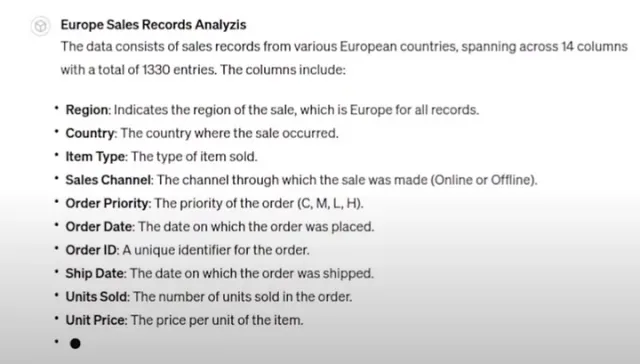
ChatGPT can generate charts and Python code from the dataset. Check the calculations and compare the charts with the underlying data.
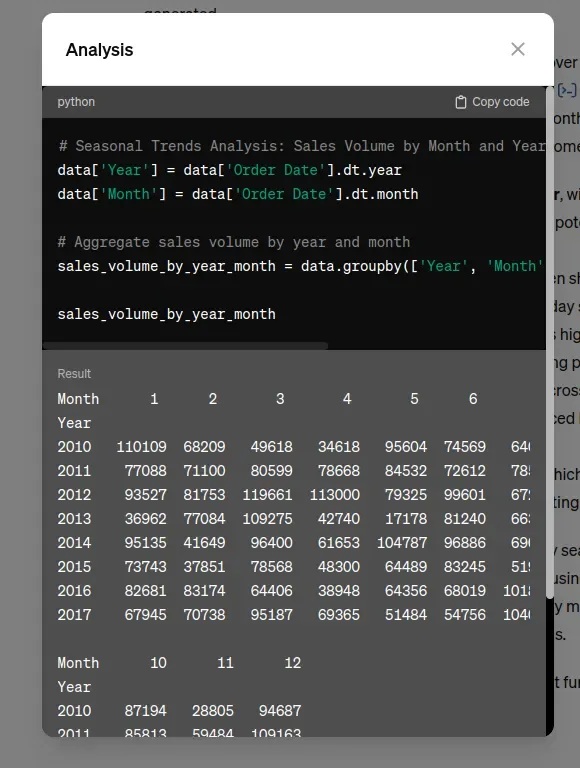
Cleaning the Data and Conducting Analysis
Ask ChatGPT to check for duplicates and missing values, then inspect its findings. For this example, I choose sales performance and ask for revenue by country and best-selling items.
You can also prepare the spreadsheet before uploading it. My Google Sheets tips cover removing duplicates, trimming whitespace, and validating values.
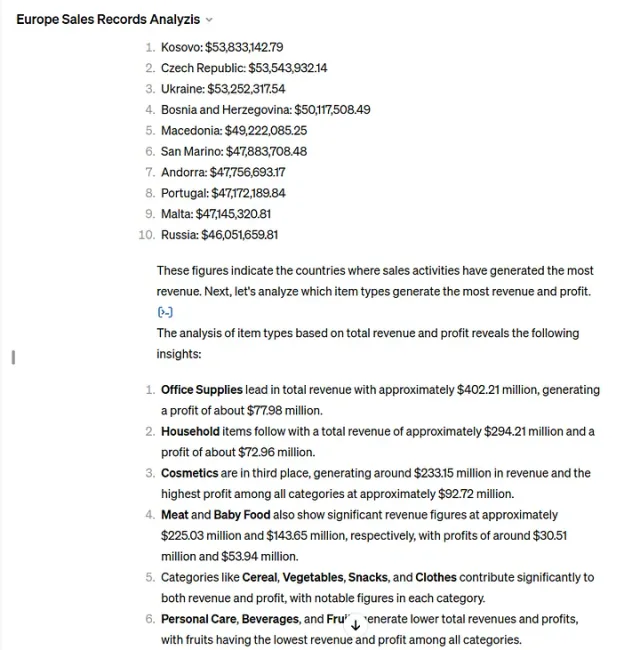
Visualization and Insights Extraction
ChatGPT’s ability to create visualizations is impressive. Asking for visual representations of your analysis can yield charts and graphs that are easy to understand, showcasing sales performance across different metrics.
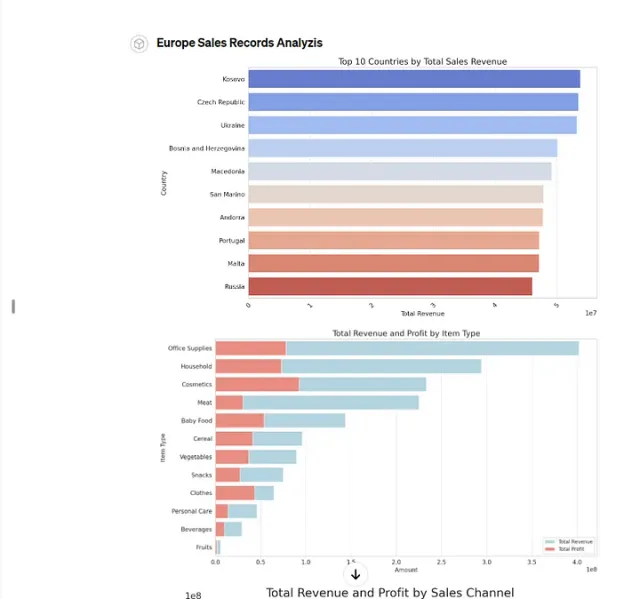
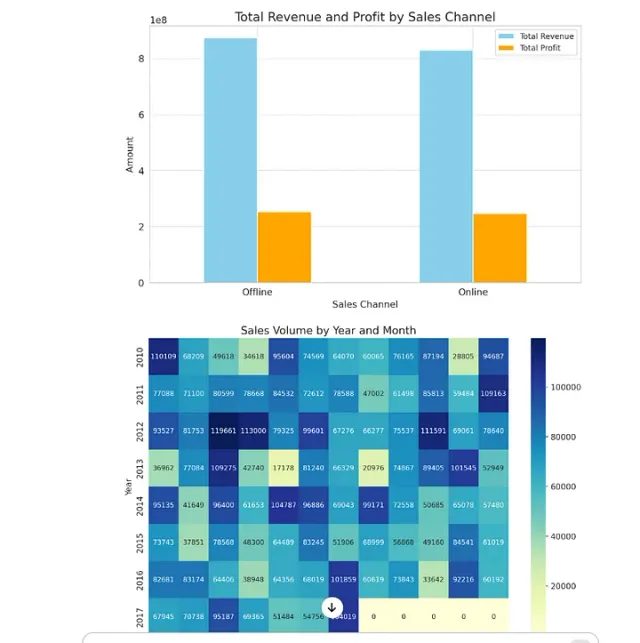
Following the visualization, it’s beneficial to ask ChatGPT for insights drawn from the data, which it provides promptly and efficiently.
Summarization and Recommendations
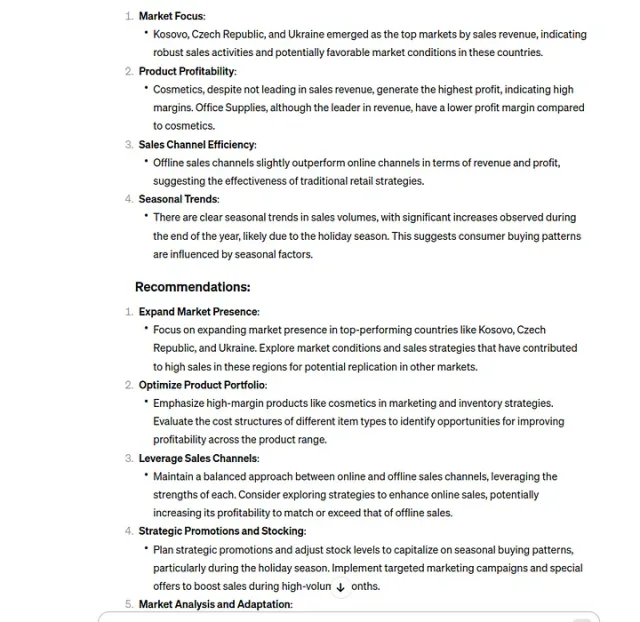
After extracting valuable insights, request ChatGPT to summarize key findings and suggest future actions. This summary can be shared with stakeholders, completing your analysis.
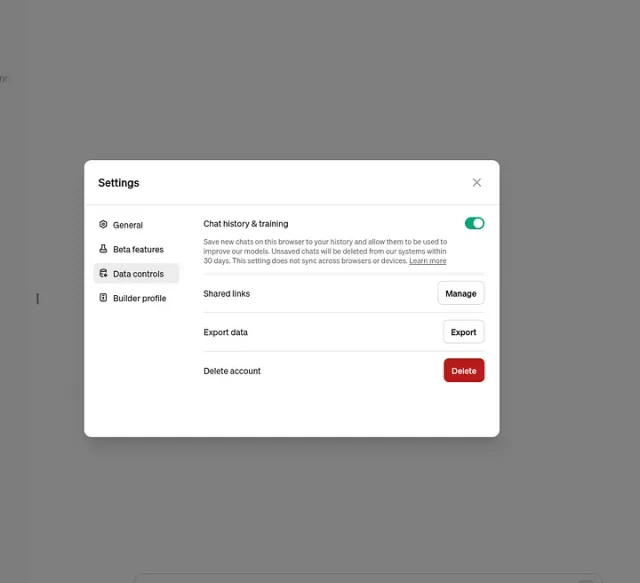
How to Stop ChatGPT from Training on Your DATA
For those concerned about data privacy, rest assured that you can disable data sharing settings, ensuring your information remains private and is not used for training or other purposes.
To maximize the utility of this feature, always use the latest ChatGPT model for up-to-date information and split your prompts into manageable steps for the best results.
I hope you found this article helpful and informative. Your feedback and comments are highly appreciated, so please share your thoughts below.