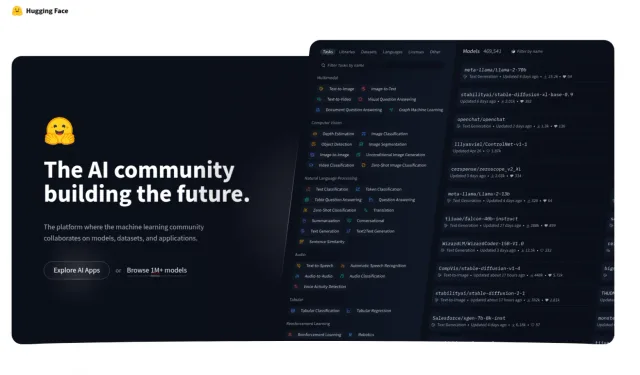

This guide introduces Hugging Face’s models, datasets, and Spaces. I’ll show how to find a model, try a demo, and use the Transformers library in Python.
What is Hugging Face?
Hugging Face began as a chatbot company and later focused on open-source machine learning tools. Its Transformers library gives developers access to pretrained models for language and other tasks.
The beauty of Hugging Face is its democratization of AI technology. By offering accessible tools and models, Hugging Face allows practitioners of various levels to tap into the potential of transformers without needing extensive computational resources or deep expertise in machine learning.
How to Get Started with Hugging Face
We are going to explore multiple ways to work with Hugging Face. The first way will be through https://huggingface.co/ website. Before you start using it, you must create an account there.

There are three main sections you should know about:
- Models
- Datasets
- Spaces
To use models and datasets, you would need to use the Python language, transformer library, and one of the machine learning frameworks. But if you don’t have programming skills, you can use Spaces to play with different AI models.
For a complete project using the model hub, my Gemma 3 guide walks through running a model locally and adding a chat interface.
Hugging Face Models
The Hugging Face Model Hub is a repository where you can find pre-trained models for a wide range of tasks, such as natural language processing (NLP), computer vision, audio processing, and more.
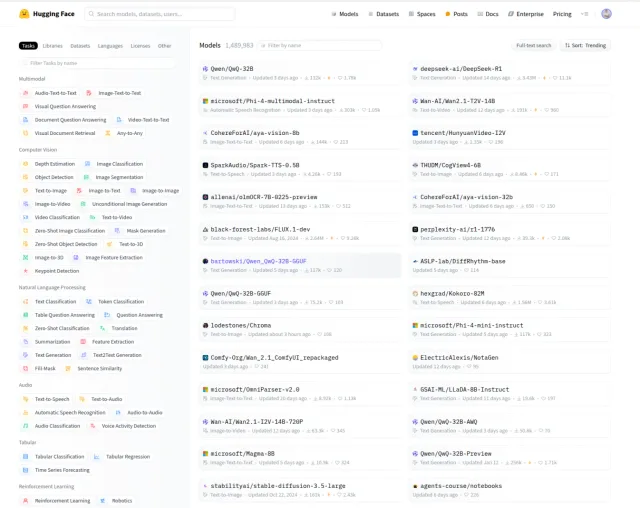
These models are contributed by the community and Hugging Face itself, covering various architectures like BERT, GPT, T5, and others.
Users can access thousands of models that have been pre-trained on large datasets, allowing for efficient fine-tuning on their custom tasks.
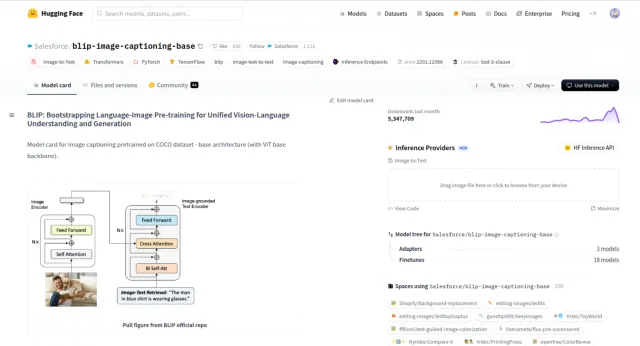
Each model comes with a model card, providing important information such as its intended use case, limitations, and performance metrics.
Keep in Mind:
- High-performance models may require significant computational resources and GPU memory to run effectively.
- Not all models are free to use for commercial purposes. You should check the specific licensing information provided for each model.
Hugging Face Datasets
The Datasets library at Hugging Face is designed to provide a simple, efficient way of accessing a wide array of datasets that are useful for machine learning and data-driven projects.
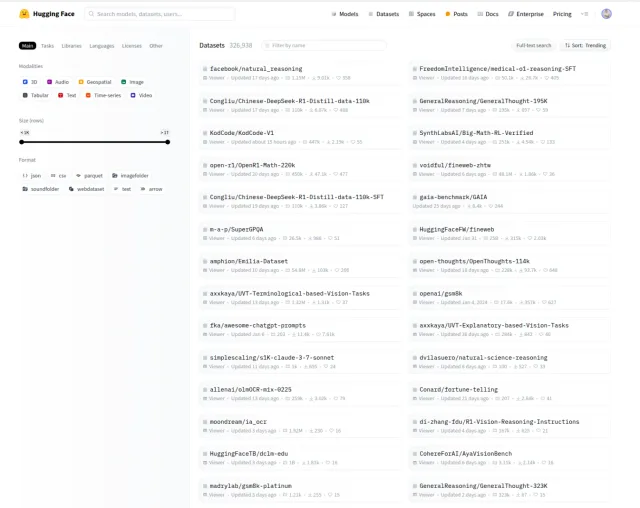
There are datasets for text, audio, image, and tabular data across multiple domains and languages.
You can use the datasets with Hugging Face libraries such as Transformers and Tokenizers.
Keep in mind:
- Some datasets are vast, making them challenging to handle without ample disk space and memory.
- Some datasets may have restrictions regarding their use, especially for commercial applications. Check for any licenses before use.
- Data might not always be perfect, and additional cleaning or processing may be necessary to fit specific use cases.
Hugging Face Spaces
Spaces on Hugging Face are a recent addition, providing an easy-to-use platform for users to deploy their machine learning models and showcase interactive AI applications.
Hugging Face Spaces offers both free and paid options. Free Spaces come with default hardware resources of 16GB RAM, 2 CPU cores, and 50GB of non-persistent disk space.
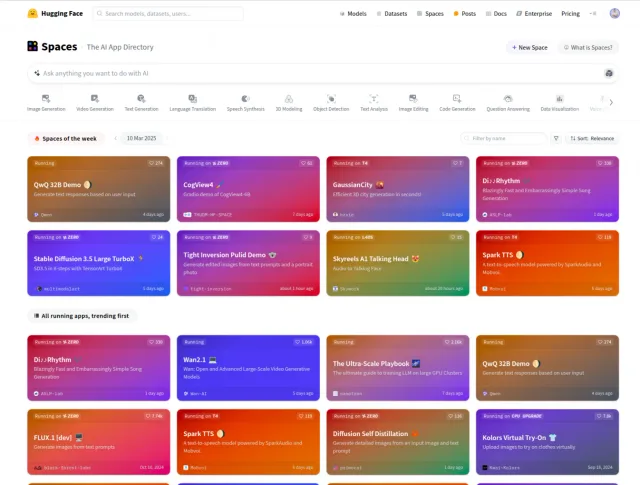
Many models have interactive demos, sharing them with the community without needing your server.
You can create public Spaces accessible to all or private ones restricted to selected collaborators or team members.
Keep in Mind:
- Restrictions on computational resources may apply, impacting the performance of heavy models or datasets hosted in Spaces.
- There might be limitations based on your account level (e.g., free vs. paid subscriptions) that determine the number of Spaces you can maintain and the resources they can consume.
How to Use Hugging Face Spaces
To explore existing applications on Hugging Face Spaces, follow these steps:
1. Visit the Hugging Face Spaces Directory: Navigate to the Spaces page, where a variety of machine learning applications are showcased.
2. Browse Applications: On the Spaces page, applications are organized by categories such as Image Generation, Text Generation, Language Translation, and more.
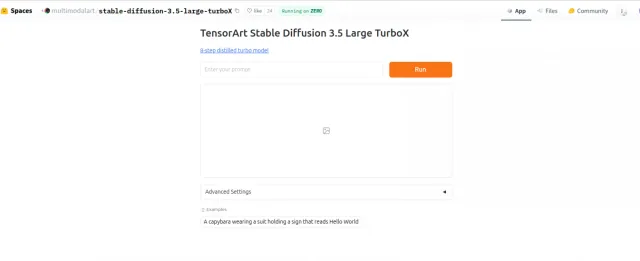
3. Explore Featured and Trending Spaces: Click on any application name to access its dedicated page, where you can interact with the demo and view additional details.
4. Interact with Applications: Many Spaces offer interactive demos. Follow the on-screen instructions to use the application.
How to Use Hugging Face Models
To use models, we would need to install the transformers library, which offers access to numerous pre-trained models.
What is Hugging Face Transformers?
The Transformers library provides pretrained models and tools for tasks such as classification, translation, and summarization.
Using a pretrained model lets you try a task without training a model from scratch. The examples below show how to load and run one.
How to Use Hugging Face Transformers
Before diving into the specific applications, ensure your development environment is set up correctly. You’ll need it installed on your system:
- IDE (VS Code or any other)
- Python language
- Transformers library
- Machine Learning Framework (PyTorch or TensorFlow)
Step 1: Install Necessary Libraries
We are going to use the terminal.
Use these commands:
Install Python:
sudo apt update
sudo apt install python3
Use a Virtual Environment
Instead of installing packages globally, create a virtual environment:
python3 -m venv venv
source venv/bin/activate
Install Transformers and a few other libraries:
pip install transformers datasets evaluate accelerate
You’ll also need to install your preferred machine learning framework.
PyTorch and TensorFlow are two of the most popular open-source frameworks for deep learning.
PyTorch was developed by Facebook’s AI Research lab (FAIR) and released in 2016. It has gained immense popularity due to its ease of use and flexibility.
TensorFlow was developed by the Google Brain team and open-sourced in 2015. It’s one of the oldest and most widely adopted frameworks for building deep learning models.
Install PyTorch:
pip install torch
(Optional) For GPU acceleration, install the appropriate CUDA drivers. Simply follow the instructions on the NVIDIA website https://developer.nvidia.com/cuda-downloads
CUDA is NVIDIA’s platform for running general-purpose computation on its GPUs. It is commonly used for machine learning, scientific computing, and data analysis.
Step 2: Explore the Model Hub
Navigate to the Hugging Face model hub (https://huggingface.co/models) and explore the available models.
Open a model you want to try and copy its usage example into your IDE. Check which library the example uses, since some models use libraries other than Transformers.
For instance, the model https://huggingface.co/Salesforce/blip-image-captioning-base is designed to generate descriptive captions for images.
The code:
import requests
from PIL import Image
from transformers import BlipProcessor, BlipForConditionalGeneration

processor = BlipProcessor.from_pretrained("Salesforce/blip-image-captioning-base")

model = BlipForConditionalGeneration.from_pretrained("Salesforce/blip-image-captioning-base")

img_url = 'https://storage.googleapis.com/sfr-vision-language-research/BLIP/demo.jpg'

raw_image = Image.open(requests.get(img_url, stream=True).raw).convert('RGB')

# conditional image captioning
text = "a photography of"

inputs = processor(raw_image, text, return_tensors="pt")

out = model.generate(**inputs)

print(processor.decode(out[0], skip_special_tokens=True))

# >>> a photography of a woman and her dog

# unconditional image captioning

inputs = processor(raw_image, return_tensors="pt")

out = model.generate(**inputs)

print(processor.decode(out[0], skip_special_tokens=True))
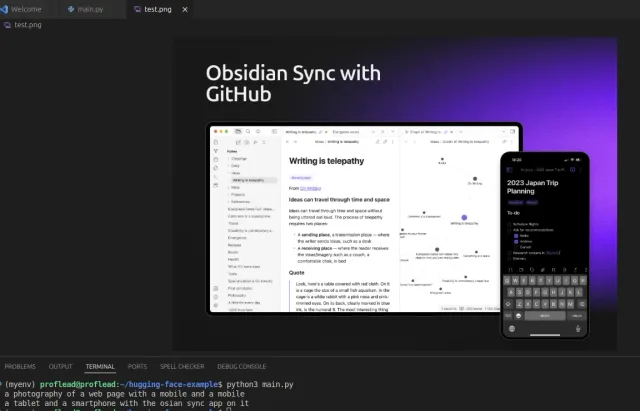
And here is the result:
In this way, you can try over 1000 different models. But keep in mind, to effectively run Hugging Face’s Transformers library with PyTorch, it’s recommended to have a system with at least 8 GB of RAM and a GPU with 4 GB of VRAM; however, for optimal performance with larger models, 64 GB of RAM and a GPU with 24 GB of VRAM are advisable.
Video Tutorial
I also created a detailed video tutorial. Watch it now or save it for later.
Watch on YouTube: Hugging Face Tutorial
Conclusion
Try one model on your own example and share the results or questions below.
Cheers! :)