

If you have switched to GPT-6 Astra in Codex, review the instructions you give it. A request that says “create an invoice” leaves the final deliverable unclear. A rule that says “ask before every step” can interrupt the work you wanted it to finish.
My new tutorial covers seven things I would check in a task prompt, a skill, or an AGENTS.md file. It follows Eric Provencher’s Rethinking skills and prompts for GPT-6 Astra, published by OpenAI on September 11, 2026.
This article expands the video with examples you can adapt, a complete audit prompt, and a way to check whether an instruction change helped. The invoice and coding scenarios below are teaching examples, not benchmark results or claims about work performed in the video.
You can also watch the tutorial on YouTube.
Which Instructions Should You Change?
Start with the place where the problem occurs. You do not need to create a skill or rewrite your project instructions to improve one request.
| Where | What belongs there | Example |
|---|---|---|
| Your task prompt | The result, source material, and boundaries for this task. | Create this invoice, check its totals, and save a PDF for review. |
SKILL.md | A reusable workflow with a clear reason to use it. | Prepare invoices from supplied billing details using the agreed template. |
AGENTS.md | Standing project guidance, such as conventions, required checks, and relevant documentation. | Use the existing components and run the project’s required checks before handing over changes. |
The filename for a skill’s main instructions is SKILL.md, singular. AGENTS.md is a separate project-instruction file. OpenAI documents skills and AGENTS.md separately because they are discovered and used differently.
Here are the seven checks from the tutorial:
- Define what finished means.
- Name the actions that need approval.
- Give each skill a focused trigger.
- Load the references the task needs.
- Connect project reading rules to the work.
- Run checks for a reason.
- Audit instructions before editing them.
1. Tell Codex What “Finished” Means
Define the deliverable before Codex starts work.
Consider this request:
Create an invoice.
Codex could reasonably return invoice text in the chat. You might have expected a PDF saved in your project folder. Neither the format nor the checks are stated.
A more useful request would be:
Create an invoice from the supplied billing details and template.

Check the line-item calculations and final total using the
supplied rates. Save the PDF in output/invoices/ and give me
the file path.

If a required billing detail is missing, identify it. Do not
invent a value or label an incomplete invoice ready to send.

Prepare the file for my review. Do not send it to the client.
Now the deliverable is visible: a file in a named folder, with calculations checked and missing information reported. If the source data is incomplete, the prompt also defines an honest stopping point.
For a coding task, completion might include starting the app and exercising the changed behavior:
Fix the article filter so clearing the search field restores
the complete list.

Keep the existing layout. Complete the change, run the required
project checks, and verify searching and clearing in a local
preview if browser access is available.

Fix problems caused by this change before returning. Report
the result, the checks performed, and any blocked verification.
This follows the broader advice in OpenAI’s prompting documentation: explain the outcome, provide relevant context, and state the boundaries that affect the work.
OpenAI’s Astra article notes that the model can return after an initial implementation while further work remains. Its persistence guidance recommends making completion explicit.
You can usually do this in one or two sentences. Name the artifact or behavior, how to check it, and what should happen if a necessary step is blocked. An instruction such as “keep improving until perfect” gives the agent no reliable place to stop.
2. Make Permission Boundaries Specific
Name the actions Codex can take and the decisions you want to make yourself.
“Ask me before every step” may sound careful, but it puts reading a template, correcting a calculation, and sending an invoice behind the same instruction. Those actions have different consequences.
For the invoice example, I would write:
You may read the supplied files, edit the local invoice draft,
check its calculations, and export the PDF in this project.

Ask for my approval before emailing it, uploading it to a
client-facing service, or changing an existing shared invoice.
For a website change, the boundary could be:
You may edit this project, run its local checks, and fix
problems caused by the requested change.

Prepare a local preview for review. Ask before deploying
the website or changing production data.
These examples give Codex room to finish a reviewable result. They also identify the action that changes who can see or rely on that result.
Be accurate about the environment. A test described as local might still contact a service or write to a shared database. Only state that checks use disposable data when you have confirmed that they do.
Written instructions also do not change the tool’s technical access. Codex’s sandbox controls what commands can access, while approval settings control how requests to cross those boundaries are handled. A prompt allowing a local edit does not grant access to every folder or service. See OpenAI’s sandbox and permissions documentation.
If Codex pauses unexpectedly, ask for the reason:
Identify the action that is blocked and the instruction or
permission setting that requires this pause. If a skill is
the reason, give me its file path and the relevant wording.
OpenAI’s GPT-6 Astra instruction-following guidance recommends identifying the skill and instruction behind an unexpected pause. That gives you something specific to inspect before changing your rules.
3. Give Each Skill a Focused Trigger
A skill description helps Codex decide whether the skill applies to the current request.
Suppose you have an invoice skill with this description:
description: Use for business, money, customers, and documents.
That description could match a business plan, a customer email, or a spending report. It does not explain when the invoice workflow is useful.
A focused version names the actual work:
---
name: invoice-preparation
description: Create or revise invoices from supplied billing details.
---
You can add a boundary when there is a real source of confusion, such as a separate skill that handles expense reports. Avoid turning the description into a catalogue of everything the skill could conceivably touch.
The skills documentation explains that Codex initially receives skill names and descriptions, then reads a selected skill’s full SKILL.md. You can invoke a skill explicitly, or Codex can select it because its description matches the task. With many installed skills, descriptions may be shortened in the initial list, so put the core use case first.
Check the Trigger With Nearby Requests
Try a few examples that differ in purpose:
- “Create an invoice from these billing details” should fit the invoice skill.
- “Correct the quantity on this invoice” should also fit.
- “Summarize this customer meeting” should not activate an invoice workflow merely because a customer is mentioned.
- “Build an invoice editor in React” may need coding guidance; invoice preparation alone does not describe that development task.
Inspect the selected skill and the resulting work. If the match is wrong, revise the trigger before adding more instructions to the skill body.
For a new skill, you can ask Codex’s built-in $skill-creator to help. Specify the job, a request that should activate it, and a nearby request that should not. OpenAI’s skill creation guide describes that workflow.
4. Load the References That Match the Task
Once a skill is selected, its instructions should point Codex to the references needed for that request.
Imagine a billing-document skill with two supported workflows: invoices and expense reports. Each has its own template and checks. A rule to read every guide whenever the skill runs would load expense-report instructions even when the user only needs an invoice.
You could organize the skill like this:
.agents/skills/billing-documents/
  SKILL.md
  references/
    invoices.md
    expense-reports.md
  assets/
    invoice-template.docx
    expense-template.xlsx
Then make the main file explain the choice:
---
name: billing-documents
description: Prepare invoices or expense reports from supplied records.
---

Use the workflow requested by the user:

- For invoices, read references/invoices.md.
- For expense reports, read references/expense-reports.md.
- If both are requested, read both references.

Preserve supplied amounts, dates, and customer details.
Report missing required data instead of inventing it.
Check the finished file against the selected workflow's requirements.
This is an illustrative structure. Create the referenced files and templates before using it in a real project.
OpenAI calls loading details when needed progressive disclosure. The main file gives enough information to select the right reference. Shared requirements remain visible; format-specific details live with the workflow that needs them.
A reference should contain useful material: accepted input fields, an actual template, calculation rules, or examples of invalid data. Splitting one sentence across five files adds navigation without adding clarity.
For a skill with one short workflow, keeping the instructions in a single SKILL.md can be easier. Separate references become useful when the branches have enough detail to justify them.
Current Codex documentation lists .agents/skills/ for repository skills and ~/.agents/skills/ for user skills. Check the local skill locations when creating one manually, especially if you are following an older tutorial.
5. Tie AGENTS.md Reading Rules to the Work
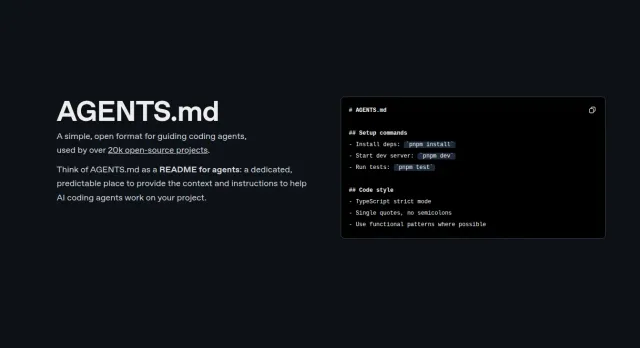
AGENTS.md holds instructions Codex reads before working in a project. A rule placed there can affect many future requests, including small edits.
Consider this requirement:
Before every change, read the UI guide, the database guide,
the deployment guide, and every architecture document.
If the task is correcting a button label, most of that reading may have no bearing on the change. If the task touches database structure, the database guidance could be essential.
A more useful project rule identifies those relationships:
## Project references

- Consult docs/ui.md for interface changes.
- Consult docs/database.md for schema or persistence changes.
- Consult docs/deployment.md when preparing a deployment.
- Consult docs/architecture.md when changing service boundaries.

Keep the relevant documentation accurate when behavior changes.
Use real paths from your project. If a document is required for every task for a concrete reason, retain that requirement and explain its scope. Selective reading works only when the agent can tell which guidance is mandatory and which guidance applies conditionally.
OpenAI documents an instruction chain that combines global and project guidance. Within the discovered project path, more local files can override earlier guidance; AGENTS.override.md can also take precedence over AGENTS.md in the same directory. See how Codex discovers instructions.
That matters when an edit seems to have no effect. You may be changing the root file while a more specific instruction is active. In a CLI session, restart after updating project instructions, then ask Codex which instruction sources it loaded.
I would keep project facts here: the framework, source folders, generated files, required build commands, and deployment boundaries. A deadline or output filename for today’s task usually belongs in the task prompt.
6. Keep Required Checks and Give Repeated Checks a Reason
Choose checks that can reveal a problem with the result.
An instruction such as this creates work regardless of what changed:
Run the complete test suite three times after every edit,
including documentation edits, even if all runs pass.
Start with the checks the project requires. Then connect additional verification to the behavior that could have broken:
Run the required project checks and verify the behavior affected
by this change. Fix failures caused by your work and rerun the
affected checks.

Repeat or broaden verification when there is a new change,
a failure, or an unresolved concern. Report blocked checks
and unrelated failures clearly.
For the article-filter example, useful checks include searching for a known title, trying a query with no matches, and clearing the input. A successful build answers a different question: whether the project can compile and generate its pages. Depending on the project, you may need both.
For the invoice example, checking the total does not establish that the PDF is readable. Open the exported file and check whether labels, amounts, and page breaks survived the export. Each check should catch a plausible problem.
OpenAI’s Astra guidance describes unnecessary testing as a possible result of instructions carried over from older models. That is a reason to review repeated demands, while retaining your project’s acceptance criteria.
Repeated runs can be justified when investigating an intermittent failure or following a required release procedure. The question is what evidence the next run is expected to provide.
Leave Room for Implementation Choices
A rule such as “open file A, search for this word, edit line 42, then run command B” can become stale as the code changes. Describe the invariant instead: preserve the public interface, reject invalid records, or maintain the existing data format.
Keep exact procedures when order matters, such as a migration or a documented recovery process. Review procedures that merely describe how one earlier version of the project happened to work.
Also consider who shares the instructions. OpenAI notes that guidance suitable for Sol or Luna can constrain Astra differently. If a repository supports several models, try the revised instructions with the models your team actually uses before adopting them broadly.
7. Ask for an Instruction Audit Before Making Edits
An instruction audit should identify a specific improvement and show which requirements it preserves.
“Make all my instructions shorter” is a poor review objective. It rewards deletion without asking what a rule protects. A longer rule about rounding, accessibility, or production access may be doing useful work.
The following prompt is an expanded version of the audit idea in my tutorial. Replace the bracketed text with the scope you want reviewed, and provide access to the relevant files.
Audit [this task prompt, skill folder, or AGENTS.md file] using
OpenAI's guidance:
https://developers.openai.com/blog/rethinking-skills-and-prompts-for-gpt-6-astra

Read the applicable instructions and relevant references.
Do not edit files yet.

Look for:
- Unclear deliverables or stopping conditions.
- Approval requirements that do not name the actions they cover.
- Skill descriptions that match unrelated tasks or overlap
  confusingly with another skill.
- References required when they do not apply to the task.
- Project reading rules with no clear connection to the work.
- Repeated checks or rigid procedures without a stated purpose.
- Conflicting or stale instructions.

For each actionable finding, give me:
1. The file and exact instruction.
2. A concrete task where it could cause a problem.
3. Your proposed replacement.
4. The requirement the replacement preserves.
5. A familiar task I can use to check the change.

Preserve project requirements, required validation, data rules,
and approval boundaries. If the purpose of a rule is unclear,
flag it for review rather than deleting it.

Distinguish explicit requirements from your interpretation.
Identify guidance that should be retested with other models
used by the team. If no change is warranted, say so.
The request to propose changes first is intentional here: you are reviewing standing instructions that will affect later work. It does not mean every ordinary task needs a separate approval after its first draft.
A useful finding should be narrow enough to evaluate. For example, “read the deployment guide before every spelling correction” is something you can discuss and test. “The file is too long” does not explain which requirement should change.
After reviewing the findings, authorize the edits you want. Keep the previous version so you can compare the wording and restore it if the revised instruction causes problems.
Check Whether Your Change Helped
Choose one familiar task and write down what a successful result looks like before running it. Keep the source files, model, and task request consistent when comparing instruction versions.
For an invoice workflow, check whether the final file exists, the supplied data is preserved, the totals are correct, and sending still requires your approval. For a code change, check the requested behavior and the project’s required validation.
Then inspect the visible work for the problem you intended to solve:
- Did Codex finish the requested deliverable?
- Did it choose an appropriate skill?
- Were the references it read relevant?
- Did it pause at the approval boundary you specified?
- Did its checks provide evidence about the result?
- Did it identify missing information or blocked verification?
A quicker response is not an improvement if it skips the required work. A single successful run is also limited evidence. Repeat the comparison across a few representative requests before making a team-wide change, particularly when several models use the same files.
You do not need to change all three instruction layers. Start with the one causing a recognizable problem: an unfinished deliverable, an unrelated skill, an unnecessary reading requirement, or an unexplained pause. Review one proposed edit, apply it, and try the familiar task again.
References and Further Reading
These sources were checked on September 20, 2026. The examples in this article are adaptations for teaching; use the official documentation for current product behavior.
- My GPT-6 Astra video tutorial: the seven advice points and invoice examples discussed here.
- Eric Provencher, Rethinking skills and prompts for GPT-6 Astra, OpenAI, September 11, 2026: the original article behind the tutorial.
- OpenAI: Skills: skill structure, invocation, progressive disclosure, and local discovery.
- OpenAI: Custom instructions with AGENTS.md: instruction discovery, overrides, and troubleshooting.
- OpenAI: Prompting: describing outcomes, useful context, and task boundaries.
- OpenAI: Sandbox: the distinction between instructions, technical access, and approval settings.
- OpenAI: GPT-6 Astra instruction following: diagnosing pauses caused by unclear or conflicting skill guidance.
For more tutorials, visit my Codex resource page or read Codex in VS Code. If you are starting without skills or project instructions, use the completion example above to improve your next prompt.