
Hey devs! If you still add "think hard" to your Claude prompts, try leaving it out. In its Opus 5.5 tests, Anthropic found that replies started sooner without those instructions, with no clear drop in quality.
That is one of seven changes in Anthropic's guide to using Claude Opus 5.5 for knowledge work, published on November 12, 2026. I tried the prompting examples in Claude and recorded the walkthrough below.
I'll show you the prompts, the effort setting, and what happened when I asked Claude to turn a chart into a report. The screenshots show my examples; the model comparisons in Anthropic's guide are its own evaluation results.
Watch the video walkthrough
Follow along with my Claude Opus 5.5 prompting tutorial on YouTube.
What changed with Opus 5.5?
At publication, Anthropic lists Opus 5.5 as the default in Claude on Pro, Max, Ultra, and Team plans. Its guide focuses on documents, research, financial analysis, and charts.
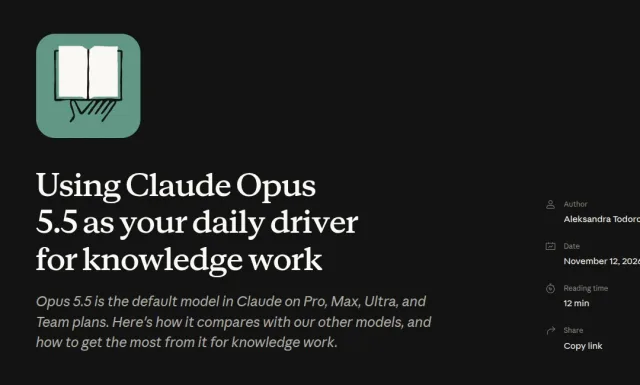
The advice is to revisit instructions you used with older models. Start with a clear task and the files Claude needs, then check the result before adding more instructions.
1. Connect your files and apps
If the task depends on files in another app, connect that app so Claude can retrieve the source material. You can also upload the files directly when that is enough for the task.
For example, if you want a report based on a spreadsheet and a meeting note, tell Claude which files to use and what to produce. It needs access to both to check the figures against the discussion.
On Team and Enterprise plans, an owner must enable a connector before members can use it. The Anthropic guide explains this requirement.
2. Say what "done" looks like
Give Claude the goal, the finished output, and the point where it should ask you for more information. Put these in your first message so it has the full task from the start.
Here is the prompt I used with a chart:
Make a 1-page report on this. Use the data from this chart.
Ask me if data is missing.
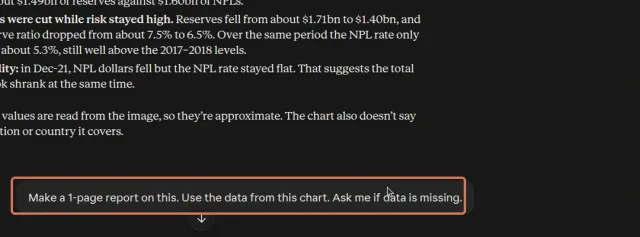
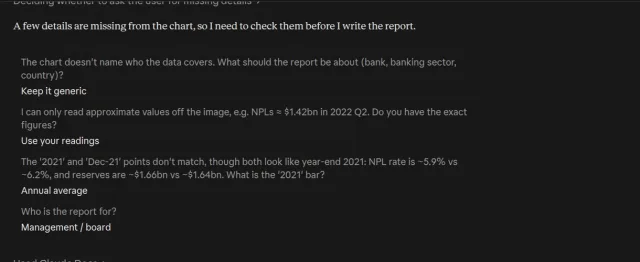
Claude asked who the chart covered, whether I had exact figures, what the annual data point meant, and who would read the report. I told it to keep the context generic, use its approximate readings, treat the annual point as an annual average, and write for management.
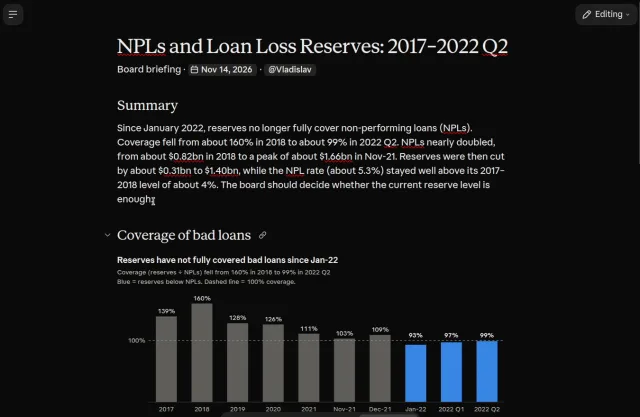
After those answers, it created a report with a summary and a chart. Asking first helped make the assumptions visible. The finished file still needs a check against the source data.
You can adapt this template:
Goal: [what you want to achieve]
Result: [the finished file, its format, and its audience]
Ask me first if: [missing data or decisions you need to make]
3. Drop "think hard"
Thinking is always on for Opus 5.5. Anthropic says the model adjusts it based on the request and the effort setting. In its tests, deleting "think hard" and "think carefully" made replies start sooner without a clear quality drop. Anthropic's prompting guidance
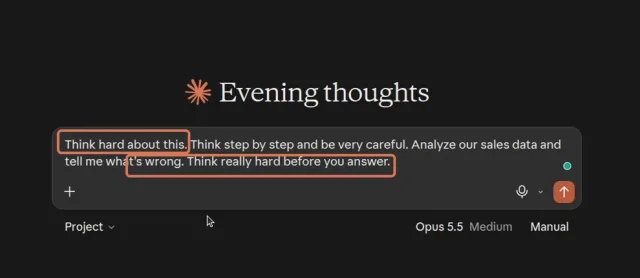
Compare these two prompts from my walkthrough. The first repeats a thinking instruction but leaves the task vague:
Think hard about this. Think step by step and be very careful.
Analyze our sales data and tell me what's wrong.
Think really hard before you answer.
The second names the data, the question, and the output:
Look at the attached sales file for Q3. Find the 3 biggest reasons
sales dropped. Give me a 1-page summary with a simple chart.
If any data is missing, stop and ask me first.
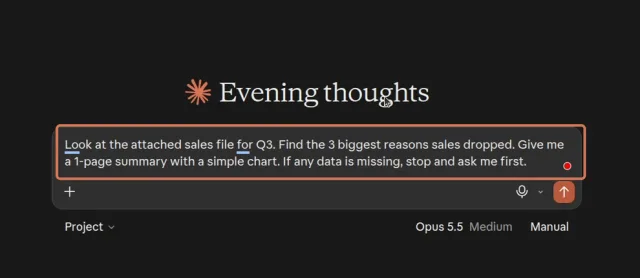
These screenshots illustrate the prompt change. They don't establish a measured improvement in the answer. For your own work, check whether the response addresses the question and supports its findings with the supplied data.
4. Start at Medium effort
Anthropic recommends Medium as the starting point for Opus 5.5. Increase it when Medium stalls on your task.
Click the model name next to the send button, open Effort, and choose Medium:
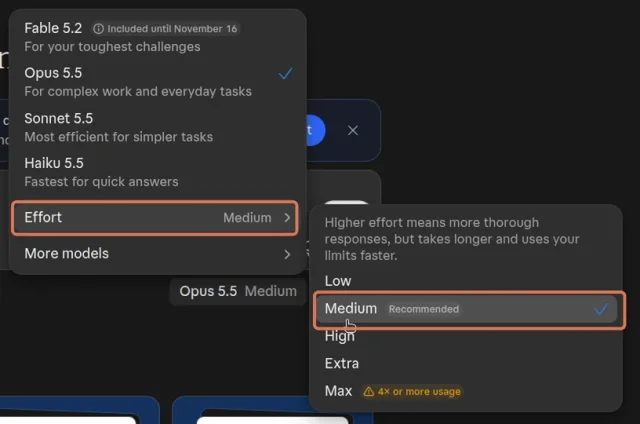
Before changing the setting, check that Claude has the files and instructions it needs. More thinking time won't supply a missing spreadsheet.
5. Attach the chart instead of typing its numbers
For a chart, screenshot, or diagram, attach the image and say what you want to learn from it. Here I started with:
What is in the chart?
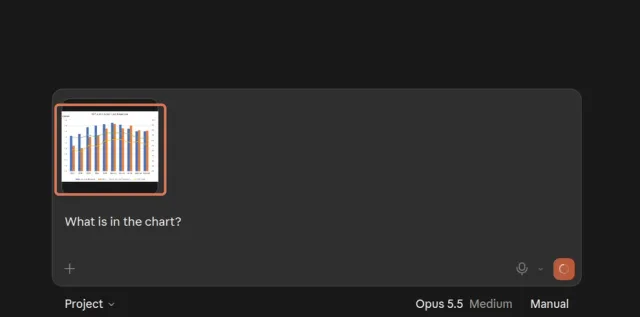
Claude described the axes and series, then made a table of approximate values. It also noticed that the chart mixes annual, monthly, and quarterly points.
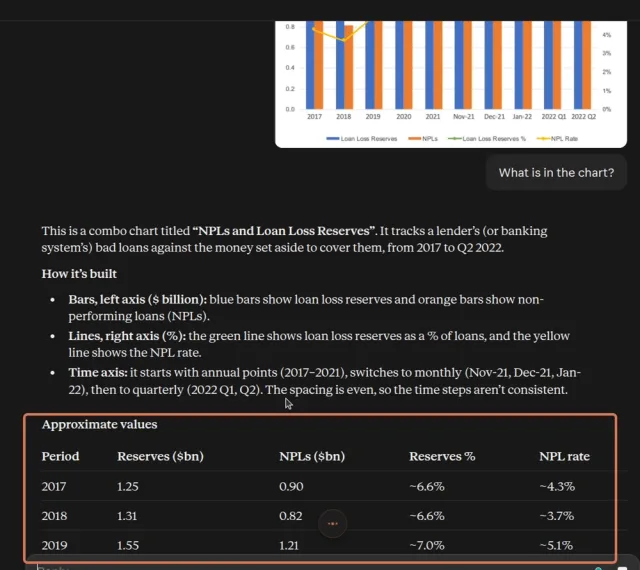
Check the labels, units, and values it reads. If exact numbers matter, provide the original spreadsheet as well. A table copied from a chart image can look precise while still containing estimates.
6. Name the design styles you don't want
"Avoid a generic look" leaves a lot open to interpretation. Name a specific visual choice you want changed.
In the walkthrough, I asked Claude to redesign the chart and avoid a cream background:
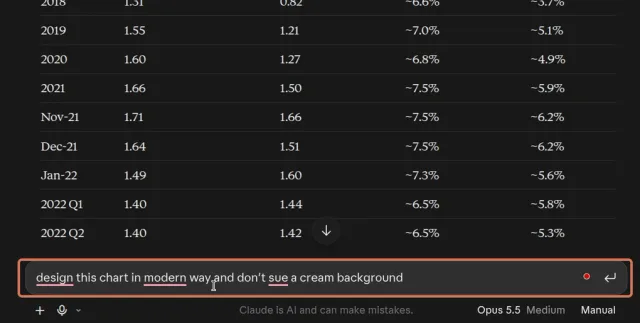
You can give it a fuller brief, for example:
Redesign this chart for a management report.
Use a white background and readable axis labels.
Keep the data unchanged. No cream background or pill-shaped buttons.
That is an example you can adapt, rather than the exact wording in the screenshot. A reference image also helps when you have a particular layout in mind.
7. Share your house style
Give Claude your writing rules or a few examples of work you want it to match. For a deck, attach your template. For an article, share a sample that sounds like you and explain which parts of the style to follow.
For example:
Use the attached brand guide for colours and fonts.
Use the attached deck as a layout reference.
Write in the same direct tone, with short explanations and concrete examples.
Keep the facts and figures from the source files.
Expect to give feedback. Point to the sentence or slide that needs changing and explain why; "make it better" gives Claude little to work with.
Try it on one task
Pick a report, a document review, or a chart you already need to work on. Supply the files, describe the finished result, and start at Medium. Check the output against the brief before changing your prompt or effort setting.
You can download the prompts as Markdown. If you also use Codex, my guide to prompts, skills, and AGENTS.md covers how I organize instructions for coding work.
Cheers, proflead ;)
Source
Using Claude Opus 5.5 as your daily driver for knowledge work, Anthropic, November 12, 2026.